
Sign Walkthrough
Show us around
your space.
The sign above the door. The hours on the glass. The wall everyone walks past. Take a photo of each spot and tell us what you want it to do. Bring us the idea. Your Primetime designer will sketch the options and work through as many revisions as you need.
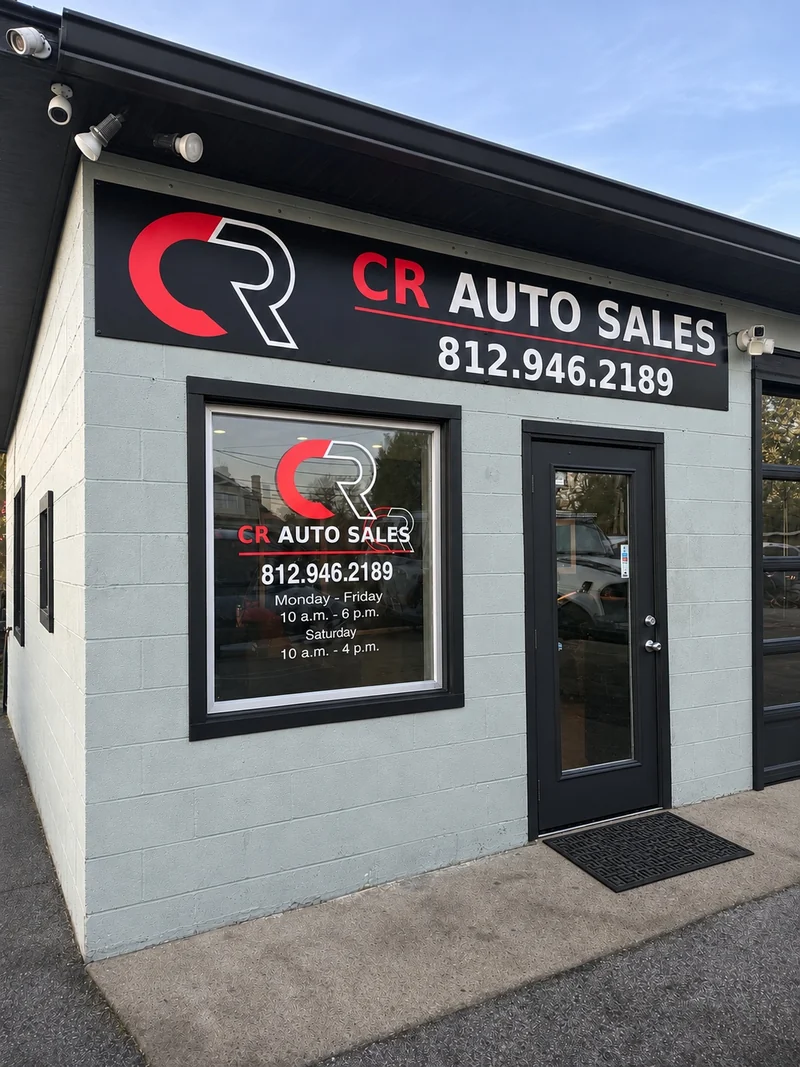
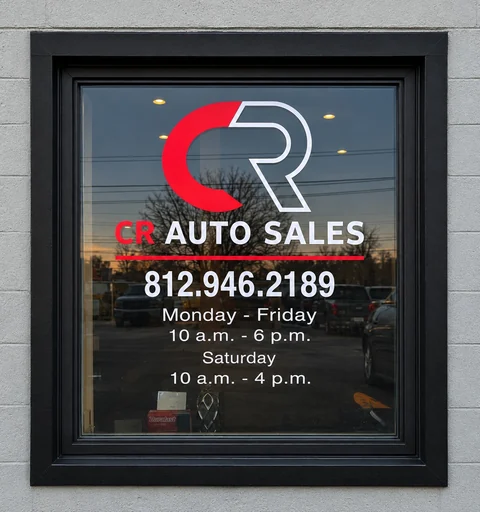
CR Auto Sales · Completed Primetime project. Trim retouched for presentation.
How one storefront becomes two sign areas
Above the door Photograph the whole sign band. Record its available width if you have it, and tell us what should be readable from the parking lot.
On the glass Photograph one pane with its frame. Give each pane its own label so your designer knows exactly where the logo, hours or promotion belongs.
Open the storefront example brief (PDF)
Real Primetime project photos with illustrative notes and measurements.
Your project
Plan your sign areas
We ship products nationwide and install in Kentuckiana and Greater Cincinnati.
Add a deadline or reviewer (optional)
Planning an opening, first game or inspection? Give your designer the date you’re working toward. We’ll confirm what’s feasible with you.
Area details
Photo of this area
Dimensions
Stay at ground level. If you can’t safely reach it, leave the measurement to us. We confirm final sizes before production.
Your walkthrough
Your project at a glance
Keep your project brief
Download one PDF with a photo sheet for each area. A multi-area project also gets a one-page summary to take to a meeting. Share it with a property manager, business partner or facilities team.
Put your designer on it
Send this walkthrough to Primetime. We’ll review the photos, confirm missing details and talk through scope, price and timing.